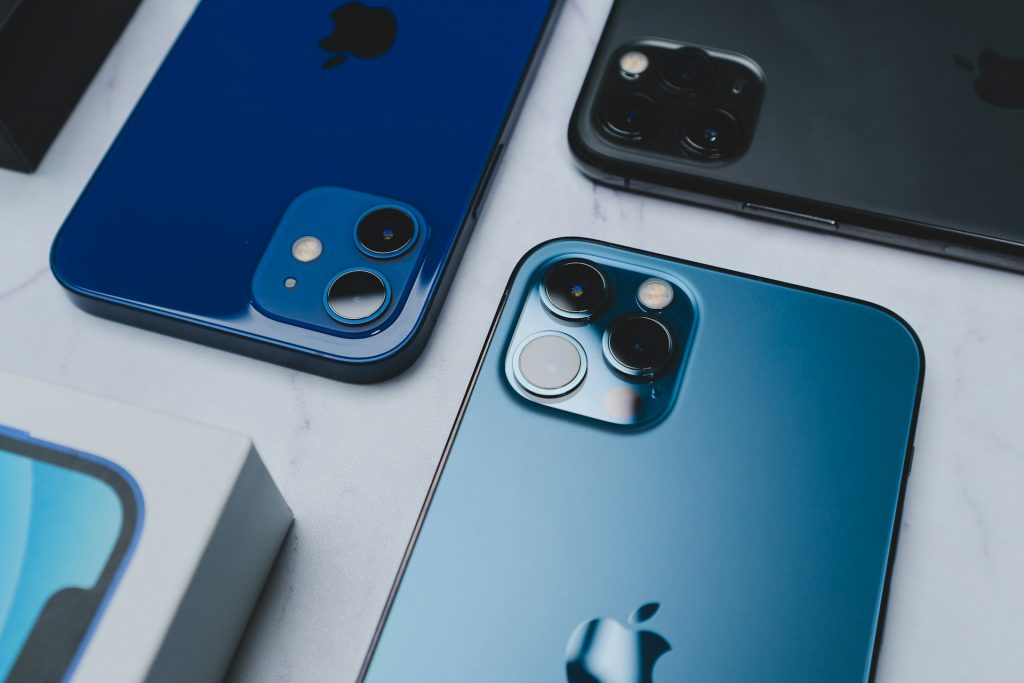
The ritual of unboxing a brand-new Apple product is undeniably satisfying. Sliding the tab, lifting the lid, and watching the screen illuminate for the first time is an experience Apple has curated to perfection. However, this luxury comes at a steep price, with new standard models costing around 1,000 euros and Pro variants demanding even more. Since not every consumer can or wishes to disburse such sums, many are turning their gaze towards the refurbished market, where platforms promise “like-new” devices at significantly reduced rates. Yet, the question remains: what does one actually receive when opting for the most economical offer?
Economic Sense and Environmental Prudence
To investigate the reality behind the marketing, we procured two devices from the platform Swappie: one graded as “Fair” and another as “Very Good.” Refurbished devices are not factory fresh; they are pre-owned units that have been technically overhauled. While the internals are restored, the exterior may bear the scars of previous ownership. Tristan Jorde, a department head at the Consumer Centre Hamburg, notes that purchasing refurbished electronics is a prudent strategy. “We purchase far too many new electronic devices, producing vast amounts of highly toxic and partly valuable e-waste in the process,” he explains.
The scale of this issue is immense. A report by the FutuRaM project in October 2025 highlighted that households and businesses in the EU, UK, and Switzerland generated approximately 10.7 million tonnes of e-waste in 2022 alone. By choosing a refurbished handset, consumers can alleviate this burden while saving money. For instance, a “Fair” condition iPhone 16 Pro was listed at 829 euros, whereas comparison platforms showed the lowest price for a new unit at 1,100 euros—a saving of over 200 euros.
Grading the Condition
Retailers typically categorise these phones into segments ranging from “Fair” to “Premium.” A “Premium” device guarantees a scratch-free chassis and 100 per cent battery capacity. In contrast, lower tiers like “Fair” warn of visible dents and scratches—essentially an iPhone with character—and guarantee a battery health of at least 86 per cent. Replacing the battery with a new one usually incurs an additional fee. While the aesthetics of a second-hand device might vary, the functionality remains the priority. Once the device is in hand, whether new or refurbished, the user must tailor the experience to their needs, particularly regarding the often-intrusive vibration settings.
Customising Haptic Feedback
Vibration, or haptics, is a useful feature, yet it can become a source of distraction when a phone is resting on a desk or sitting in a pocket. On iPhones, vibration is primarily linked to three areas: typing, the ring/silent switch, and general system interactions. Users have the liberty to toggle these settings individually. To silence the tactile feedback from the keyboard, one must launch the Settings app, navigate to ‘Sounds & Haptics’, select ‘Keyboard Feedback’, and simply toggle off the ‘Haptic’ option.
Similarly, system-wide vibrations can be disabled by toggling off ‘System Haptics’ within the same menu. For those wishing to eliminate vibrations during incoming calls, the ‘Ringtone and Alerts’ section offers a solution. By selecting ‘Haptics’ and choosing ‘Don’t Play in Silent Mode’ or ‘Never Play’, one can ensure the device remains completely still, even when receiving alerts.
Troubleshooting “Ghost” Vibrations
A common grievance among users is the phenomenon of the iPhone vibrating randomly. Before assuming a defect—a concern that might be heightened if one has purchased a refurbished unit—it is essential to verify the source. Often, these are not glitches but actual notifications or system events. Furthermore, if ‘Tap to Wake’ or ‘System Haptics’ are enabled, carrying an unlocked phone in a bag can cause it to brush against objects, triggering inputs.
However, genuine defects do occur. A faulty haptic motor or a logic board issue is conceivable, especially in devices that have seen prior use. Software glitches are rare but not unprecedented; for example, a bug in the iPhone 14 Pro series previously caused the camera’s optical image stabilization motors to malfunction in third-party applications. If random vibrations persist after ruling out settings and carrying habits, users should update their iOS and installed apps. A system reboot or a factory reset serves as a final troubleshooting step. Should the problem endure, professional repair services would be the unavoidable course of action.